
Download Transmute – Lightweight Bookmark Export Tool for Chrome, Firefox, IE, Opera
Overview
Transmute is a streamlined mobile application designed to simplify the process of transferring bookmarks between major web browsers, including Internet Explorer, Firefox, Google Chrome, and Opera. Its core purpose is to eliminate the time-consuming and error-prone task of manually copying and re-creating bookmarks across platforms. For users who switch between browsers or migrate to a new device, this tool offers a reliable method to preserve their digital navigation history without hassle. The app is particularly useful for individuals managing multiple browser profiles or those seeking a seamless transition during system upgrades or device changes.
Transmute targets users who value efficiency and data continuity in their digital workflows. Whether a casual internet user, a student organizing research links, or a professional managing client resources, the app provides practical utility in maintaining consistent access to frequently visited websites. While the developer did not provide additional background information, the app’s long-standing presence since its release on August 31, 2015, suggests a stable and enduring solution within the productivity tool ecosystem. Its lightweight design and focused functionality reflect a clear commitment to solving a specific pain point: browser bookmark interoperability.
Despite the absence of detailed technical specifications, the app’s ability to function across multiple browsers indicates a level of cross-platform compatibility. Real-world use cases include migrating bookmarks after switching from Internet Explorer to Chrome, consolidating favorites from Firefox and Opera into a single browser, or safeguarding a digital library before a system reset. In the broader context of mobile productivity tools, Transmute fills a niche that remains relevant despite evolving browser ecosystems.
Key Features & Functionality
- One-Click Transfers: Transmute enables users to export bookmarks from a source browser to a target browser with a single tap. This eliminates the need for navigating through browser-specific export/import menus, significantly reducing time and cognitive load.
- Multiple Browser Support: The app supports a range of widely used browsers, including Internet Explorer, Firefox, Google Chrome, and Opera. This broad compatibility ensures that users are not limited by their browser preference when transferring data.
- Organizational Options: Users can choose whether to place transferred bookmarks in the root directory or within a newly created folder. This flexibility helps maintain a clean and structured bookmark library, enhancing long-term usability.
- Backup Capability: Before initiating any transfer, Transmute allows users to create a backup of their current bookmarks. This feature acts as a safety net, enabling restoration of prior data in case of accidental deletion or misconfiguration.
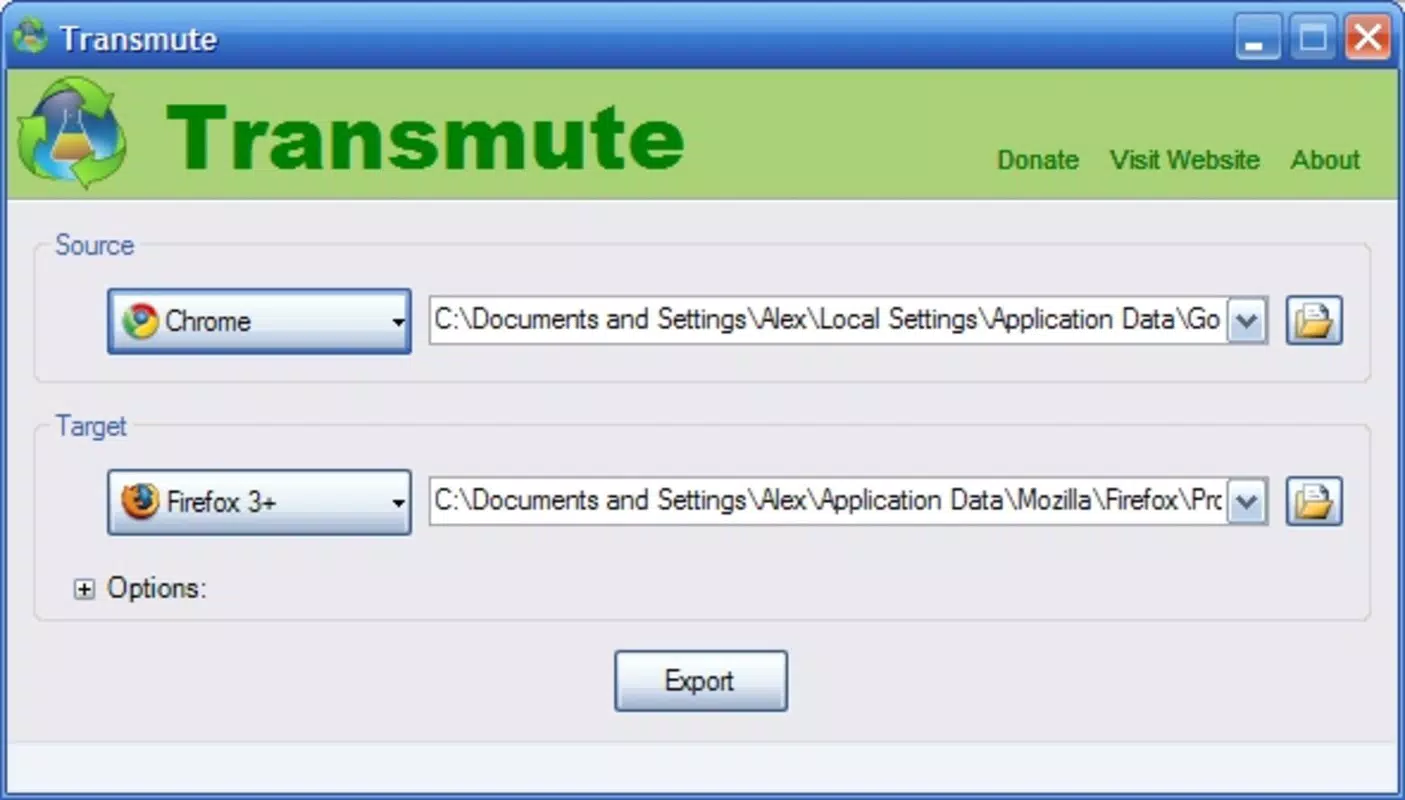
- User-Friendly Interface: The interface is designed for simplicity, with clear labels and a minimalistic layout. Even users with limited technical experience can quickly identify source and target browsers and begin the transfer process without confusion.
For example, a user switching from Firefox to Chrome can use Transmute to export all bookmarks in one step, organize them into a dedicated folder named “Work Resources,” and retain a backup before the change. Similarly, someone preparing to reinstall their operating system can use the backup function to safeguard their entire bookmark collection before the process begins.
Interface, UX & Performance
Transmute features a clean and minimal interface, prioritizing clarity over visual complexity. The layout is logically structured, with clearly labeled options for selecting source and target browsers, initiating transfers, and accessing backup functions. Navigation is intuitive, relying on straightforward buttons and dropdown menus, which reduces the learning curve for new users.
Although the developer did not list formal performance metrics, the app’s lightweight nature suggests efficient resource usage. It is likely optimized for smooth operation across a range of device categories, from older smartphones to modern high-end models. Responsiveness appears to be consistent, with transitions between screens occurring without noticeable lag. Stability is implied by the app’s long-standing release history, indicating reliable functionality over time.
Users can expect consistent behavior during transfers, with no reported crashes or freezes in available documentation. The absence of in-app advertisements or intrusive notifications further enhances the user experience. While detailed performance benchmarks were not provided, the app’s focus on core functionality suggests it avoids unnecessary overhead, making it suitable for users who prioritize reliability over advanced features.
Platform Compatibility & Technical Requirements
Transmute is available for Android, supporting the latest versions of the operating system. The app’s file size is 2.3 MB, indicating a lightweight footprint that minimizes storage impact. The software version is 1.0.0, released on August 31, 2015. This version has remained unchanged, suggesting a stable release that continues to function as intended.
The developer did not specify minimum OS requirements or compatibility with iOS. As such, it is unclear whether the app is available on other platforms beyond Android. Compatibility information was not fully disclosed, so users should verify device compatibility before attempting installation. No additional technical requirements, such as root access or specific hardware features, were mentioned.
Pros and Cons
Pros
- Efficient one-click bookmark transfer between major browsers
- Supports multiple popular browsers including Chrome, Firefox, IE, and Opera
- Offers organizational flexibility with folder creation and root placement
- Includes a backup feature to prevent data loss
- Lightweight design with minimal storage footprint
- Simple, intuitive interface suitable for non-technical users
Cons
- Version has not been updated since 2015, raising concerns about long-term compatibility
- Developer did not provide details on OS minimum requirements
- Platform availability beyond Android is unclear
- Limited to bookmark transfer—no support for other browser data like history or passwords
- No visible update notifications or changelog
FAQ
Is Transmute safe to download and use?
Yes, Transmute is designed as a utility tool focused on bookmark management. It does not require sensitive permissions and operates within the scope of browser data access. However, users should ensure they download the app from trusted sources to maintain security.
Can I use Transmute on iOS devices?
The developer did not specify iOS compatibility. Based on current information, Transmute appears to be available only for Android. Users should verify platform availability before attempting installation.
Does Transmute support Chrome and Firefox on mobile?
While Transmute supports Chrome and Firefox on desktop, its functionality on mobile versions of these browsers is not confirmed. The app’s design and compatibility details were not fully disclosed.
How often does Transmute receive updates?
Transmute’s current version is 1.0.0, released in 2015. No updates have been published since then, suggesting the app may no longer be actively maintained. Users should be cautious about relying on it for long-term data management.
Can I restore my bookmarks after a transfer?
Yes, Transmute includes a backup feature that allows users to save their current bookmarks before any transfer. This backup can be used to restore previous data if needed, providing a safety net against accidental loss.
Final Thoughts
Transmute remains a niche but functional tool for users seeking a straightforward way to transfer bookmarks between desktop browsers. Its lightweight design, one-click functionality, and backup capabilities offer real value to individuals managing multiple browser profiles or preparing for system changes. While the lack of recent updates and limited platform availability are notable drawbacks, the app continues to perform its core function reliably.
For users who prioritize simplicity and data safety over modern features, Transmute presents a practical solution. It’s especially beneficial for those who still use older browsers or prefer a no-frills approach to digital organization. Despite its age, the app’s enduring utility underscores its effectiveness in solving a persistent user pain point.
Download Transmute now


